Test Messages Don't Lie: Building a Canary SIM Watchdog for Your US Modem Rack

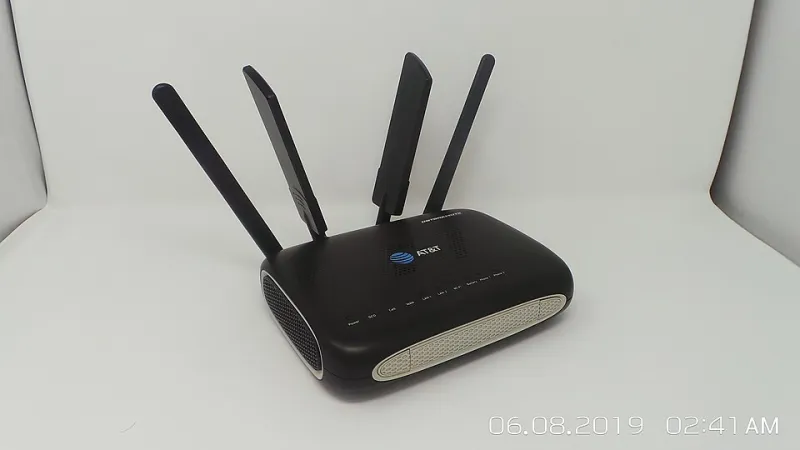
Photo by Photo by Đào Hiếu on Unsplash on Unsplash
There's a particular kind of bad day in this business where everything looks fine. Your gateway reports 100% submission, your queue drains, your logs are clean — and then a customer emails asking why nobody got the verification codes. Somewhere between your SMSC handoff and the handset, a carrier filter ate the traffic and didn't leave a note.
That's the thing about modern US carrier filtering: it's mostly silent. You don't get a 4xx, you don't get a bounce, and DLRs either never arrive or arrive with a status vague enough to be useless. The filter doesn't want to argue with you, it just wants your messages gone.
You can't fix what you can't see. So the move is a canary farm: a small, dedicated set of SIMs that do nothing but send boring, unambiguously legitimate test messages on a schedule. When the canaries go quiet, you know something changed upstream before your production traffic gets a chance to suffer.
What Canary SIMs Actually Tell You
A canary isn't an uptime check. Your modem can be registered, your signal can be great, and your message can still vanish. What you're measuring is the end-to-end path between your rack and a couple of handsets you control: submission → carrier → delivery. That's the part of the chain where filters live.
The useful signals are:
- Delivery latency. How long from submit to confirmed delivery? A steady 4–8 seconds is normal. A creeping 45 seconds means something's queuing your traffic at the carrier.
- Delivery ratio. Out of N test messages over the last hour, how many landed? 100% is boring, which is what you want. 60% is a fire.
- Failure shape. Are failures random across canaries, or pinned to one carrier, one destination number, or one message template? The shape tells you who's filtering.
Keep at least two destination handsets per major US carrier you care about, on different accounts if possible. One canary to one phone will lie to you eventually — that phone will be off, out of coverage, or have Do Not Disturb turned on by someone who forgot.
A Small, Boring Hardware Slice
Don't mix canaries into your production modem bank. You want isolation for two reasons: you don't want production volume skewing the test, and you don't want a filter on your canary range to take down real traffic with it.
What I've run and liked:
- A single USB modem or a small 4-port modem card, one port per canary SIM, on a powered hub with a separate power supply. Cheap hubs brown out and you'll spend a weekend chasing phantom registration drops.
- Prepaid SIMs on the carriers you actually serve, on separate accounts from production. Yes, it costs a few bucks a month. That's the point — a canary on your production account shares its fate.
- A dedicated mini PC (any N100 box is plenty) running the sender and the database. Not on the same host as your gateway. If the gateway dies, the canaries should still be able to tell you so.
- Antennas placed like production, not better. If your production rack sits in a steel cabinet with a -105 dBm signal, your canary has to suffer the same conditions or it'll miss RF problems.
One thing I learned the hard way: label the canary SIMs with the ICCID and the carrier and the account in a text file on the box. Six months from now you will not remember which tray slot was T-Mobile.
The Sender Script
You don't need a framework. A Python script with pyserial talking AT commands, a SQLite table, and a cron entry will do it. Sketch:
# canary.py — runs every 10 minutes per modem
import sqlite3, time, serial, random

TEST_MSG = "gsmhosting canary {} — ignore".format(int(time.time()))
DESTINATIONS = {
    "att_phone":   "+1XXXXXXXXXX",
    "vzw_phone":   "+1XXXXXXXXXX",
    "tmobile_phone": "+1XXXXXXXXXX",
}

def send(port, dest, body):
    s = serial.Serial(port, 115200, timeout=30)
    s.write(b'AT+CMGF=1\r')
    s.write(('AT+CMGS="%s"\r' % dest).encode())
    time.sleep(0.5)
    s.write(body.encode() + b'\x1a')
    resp = s.read(512)
    s.close()
    return b'+CMGS' in resp

# loop the four modems, write submit_time + msg_id into sqlite
The receiving side matters more than the sending. Put a cheap Android phone on each destination number running a tiny forwarder app — or, if you want to be tidier, a GSM modem in a second location that reads incoming messages over AT+CMGL. Every received message gets matched back to the msg_id by the token in the body, and the script writes delivered_at.
Then your query is trivial: average latency and delivery ratio per destination over the last hour and last 24 hours.
Detecting the Bad Kind of Quiet
Don't alert on a single missed message. Phones go offline, kids turn on airplane mode, someone borrows the test handset for the weekend. You want a baseline-relative signal.
What's worked:
- Warm-up window. 72 hours of data before the watchdog starts alerting, so it learns what normal looks like on your rack.
- Hourly ratio. Fire when delivery ratio for a destination drops below 70% over a rolling hour with at least 6 attempts. That's not a blip, that's a pattern.
- Latency drift. Fire when the p95 latency is more than 3× the 7-day median. Creeping latency usually precedes hard filtering by hours or days.
- Template test. Rotate two or three message bodies — a plain text one, one with a URL shortener, one that looks like a transactional alert. If only the URL version fails, you just learned something specific about the filter.
Keep a carrier, template, and destination column on every row and your grep sessions get much shorter.
Alerting Without Crying Wolf
Route alerts to whatever your on-call actually reads — Slack, PagerDuty, a Telegram bot, whatever. But tier them:
- Passive (dashboard only): one missed canary, one slow hour.
- Notable (Slack channel): ratio below 85% over an hour on any destination.
- Wake-up (page): ratio below 70% for two consecutive hours on two destinations, or a total silence across all canaries for 30 minutes. Total silence usually means your sender box is wedged, not that a carrier hates you — but it's still worth knowing at 2 a.m.
Include the last 24 hours of the affected destination in the alert body. The first question anyone asks at 3 a.m. is "is it just us?" and the chart answers it.
The Payoff
A canary farm won't stop carriers from filtering you. What it does is turn a mystery — customer complaints three days after the fact — into a timestamped graph. When you call your account rep, you're not saying "some users didn't get messages." You're saying "delivery to T-Mobile dropped from 100% to 40% at 14:20 ET on Tuesday, here are the message IDs." That's a conversation they can actually act on.
And on the days when nothing's wrong, the canaries just quietly chirp every ten minutes and cost you almost nothing. Boring is the goal.