Three Years, One Rack, Plenty of Regrets: What Running GSM Hardware in a Colo Actually Taught Me
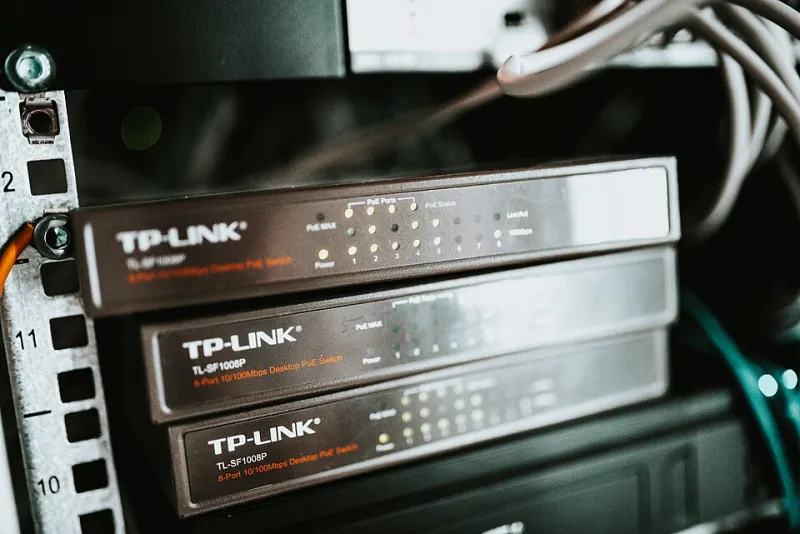
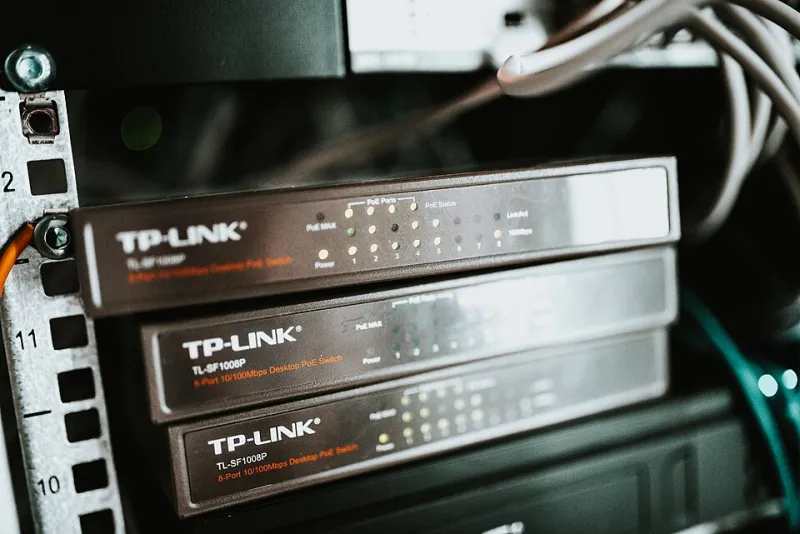
Photo: Shixart1985, CC BY 2.0, via Wikimedia Commons
Three years ago I signed a colo contract for a half rack in Texas, loaded it up with GSM modems, and figured the hard part was over. It was not. What follows is the honest version of what I learned — the stuff I wish someone had told me before I'd paid for it in downtime, hardware, and one genuinely embarrassing antenna incident.
Lesson 1: Cheap Modems Are a Subscription, Not a Purchase
This is the first one that cost me money, and I walked right into it. I bought a batch of no-name 16-port USB modem banks at a price that seemed too good to pass up. And they worked — for about four months. Then the failures started. USB controllers dropping ports under load, firmware that bricked during a routine reset, radios that would register fine and then refuse to send.
Here's the math I didn't do: I replaced roughly 40% of that hardware within a year, plus the downtime while I debugged which port had died this time. The 'expensive' brand-name modems would have cost less than the replacements and the hours of my life. Buy quality hardware once. In this niche, the cheap stuff is a payment plan with terrible interest.
Lesson 2: Your Modems Are Cooking and Nobody Told You
The second expensive lesson. Modem banks in a dense rack generate more heat than their little spec sheets suggest, and thermal throttling doesn't announce itself. What it looks like is this: everything runs great in winter, then a July heat wave rolls through Texas, the colo's cooling loop keeps the cold aisle fine, and your modem shelf — tucked in the back of the rack with poor airflow — starts silently degrading.
Symptoms in order of appearance: message latency creeps up, then registration drops get more frequent, then modems start cycling hard enough that you'll swear it's a carrier problem. I burned two weeks troubleshooting 'network issues' before I finally put a thermometer at shelf level. 60°C. Sixty.
The fix cost almost nothing: a rack fan tray, spacing the banks out, and repositioning so exhaust actually leaves the rack. The mistake cost me a month of degraded service. Get temperature sensors at the shelf level, not the room level. Room-level monitoring tells you the building is fine while your hardware slow-roasts.
Lesson 3: Antenna Placement in a Rack Is a Real Discipline
This one didn't cost money, but it cost me pride. I initially mounted the antenna pigtails bundled neatly with the cabling — very tidy, very professional-looking. Signal quality was mediocre and I blamed the carriers for months.
Turns out, stuffing a dozen GSM antennas an inch apart inside a grounded metal rack is a great way to build an interference machine. The fix was unglamorous: antennas moved to the rack front or on external panels outside the cage, spaced apart, with quality coax runs instead of the flimsy pigtails. Signal-to-noise improved overnight and my re-registration churn dropped noticeably.
If you're setting up a GSM rack: metal racks and bundled antennas do not mix. Run the antennas out of the RF soup or don't complain about the results.
Lesson 4: Carrier Rate Changes Will Ambush You — Budget for It
Nobody warned me that wholesale termination rates can shift with all the grace of a surprise invoice. Routes that were profitable in January got repriced mid-year, and one carrier I depended on changed terms in a way that effectively doubled my cost on a chunk of traffic. Because I'd priced my service on static rates, that quarter stung.
What I do now: I never let one carrier carry more than about a third of my traffic, I review rate decks quarterly like it's a dentist appointment, and I keep a secondary route warm even when I don't strictly need it. Redundancy in GSM hosting isn't about hardware failing — it's about your suppliers changing the rules.
Lesson 5: Remote Hands Are Your Best Friend and Your Weakest Link
The colo is four hours from me. That means every physical fix — reseating a USB controller, swapping a dead PSU, untangling the antenna mess from Lesson 3 — goes through remote hands. Most of the time they're great. But they don't know GSM hardware, and 'please reseat port 7 on the modem bank' will occasionally result in 'we unplugged everything and now it's better, we think.'
The fix is documentation ruthless enough to feel insulting: photos of the rack, labeled cables, step-by-step cards for the five most likely physical interventions. Assume the person opening your rack has never seen a modem bank before, because they probably haven't.
Worth It? Yeah, Actually
Despite everything above, I'd do it again — minus the cheap modems, minus the antenna bundle, minus the static rate pricing. Running your own GSM gateway in a colo gives you control and margins you can't get from a hosted provider. But go in with eyes open: the hardware is only half the job. The other half is thermal management, RF hygiene, supplier risk, and writing documentation for the poor soul who'll be standing in front of your rack when you can't be there.