Pinning Bands Is Easy. Un-Pinning Them at 2 A.M. Is the Hard Part

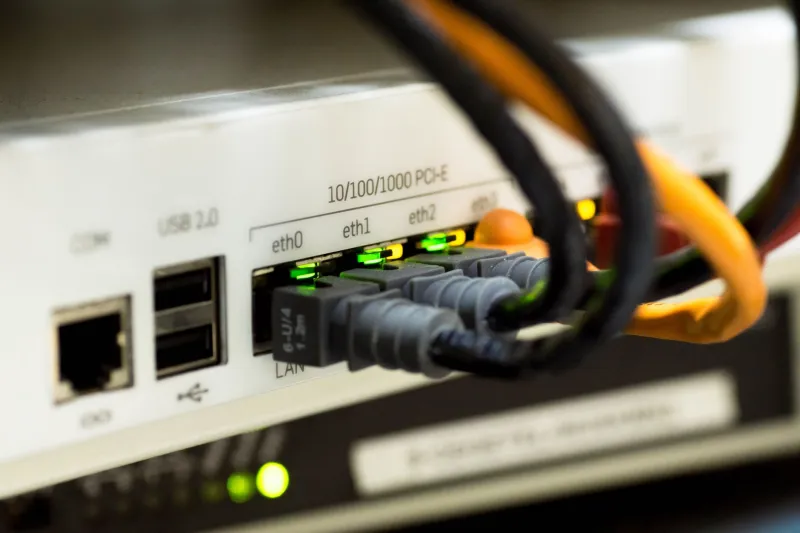
Photo by Photo by Johannes Mändle on Unsplash on Unsplash
Every farm has a person who knows which modems are band-locked. Usually that person is on vacation when it matters.
Band locking is one of the few genuinely useful knobs a modem gives you, and it is also the easiest way to turn a routine tower change into four days of silent failure. The difference between the two outcomes is almost never technical. It is whether anyone wrote down what was pinned, why, and how to undo it.
What locking actually buys you
A modem left to its own devices will happily camp on the first cell it can hear and stay there until something forces a change. That is fine when the RF environment is clean. It is not fine when the modem is parked on a distant low-band sector with a weak signal while a strong mid-band neighbor sits one row over. You get slow throughput, high retry counts, and attach times that creep upward until a queue backs up.
Pinning a band, or a band plus an EARFCN, turns a contest into a decision. Common reasons to do it:
- Noise. One band at your site is polluted by something nearby and the modem keeps drifting back to it after every reset.
- Congestion. A congested sector behaves worse than a quieter band with a lower signal reading.
- Aggregation weirdness. Some carrier aggregation combinations are more stable than others on a given module and firmware.
- Predictability. When twenty modems all behave identically, debugging gets dramatically cheaper.
Typical US targets look like this: Verizon modems often get pinned around B13, B66, or B2; AT&T around B2, B12, B14, or B66; T-Mobile increasingly wants B2, B66, B41, or n41 and n71 on the 5G side. Your mileage will not match any of these, which is exactly the point.
The failure mode nobody tests
Here is the trap. A locked modem that cannot find its pinned band does not always scream. It often just sits there, registered but useless, or it fails to attach and retries quietly in the background. Your dashboard shows the device is present. Your gateway shows the port is open. Nothing shows that no message has left that modem in six hours.
That is how band locks strand a farm. The carrier refarms capacity, a local site gets decommissioned, a new sector comes online you did not account for, and every pinned modem in the rack stops finding home. Twelve hours later you are diffing configs at 2 a.m. asking who set this.
Carriers in the US have been reshuffling spectrum continuously — mid-band refarms, small cell densification, capacity moves between macro layers. Assume the RF map under your rack changes at least once a year whether you are told or not.
Write down the band ledger
One table, one row per modem, kept somewhere versioned. It should carry:
| Field | Why it matters |
|---|---|
| IMEI and module model | Firmware-specific band masks differ |
| SIM ICCID and carrier | Same hardware, different behavior |
| Locked bands or mask | The actual value you sent, not a description |
| Command family used | Quectel, Sierra, Huawei and friends all differ |
| Serving PCI and EARFCN at time of lock | Tells the next person what you were aiming at |
| Date and who approved it | Half of archaeology is knowing who to ask |
Capture the serving cell with AT+QENG="servingcell" or your module's equivalent before and after. That single line of output is the difference between a note that says locked to B2 and a note that says locked to B2 aimed at PCI 214 from this exact rooftop.
Build the rollback before you need it
A rollback plan is three things: a command, an access path, and a test.
The command is the unlock. Keep it as a copy-paste snippet per module family, not as tribal knowledge. Quectel modules take a band mask through AT+QCFG="band", Sierra uses AT!BAND, Huawei uses the AT^SYSCFGEX family, and QMI-based stacks can set system selection preference directly. Whichever you use, store the unlock next to the lock in the same file.
The access path is how you reach the modem when the modem is the thing that is broken. If your management traffic rides the same cellular links you are troubleshooting, you do not have a rollback plan. You have a coin flip. Keep an out-of-band path — a wired uplink, a jump host on a different carrier, anything.
The test is the part everyone skips. Leaving one or two canary modems unlocked all the time costs you a little consistency and buys you a live view of what the network looks like without your pins. When those canaries start showing a serving cell that no longer matches your assumptions, you get a warning before the locked fleet goes quiet.
A rollout rhythm that does not bite
Pin in stages. Lock five modems, watch them for a week, then twenty, then the rest. Never lock an entire rack in a single evening, no matter how confident you are — you are one carrier change away from a full outage with no comparison baseline.
Schedule a monthly unlock window on a small slice of the fleet, let those modems roam freely for a day, and log what they choose. If the free choice is better than your pin, you have new data and a decision to make. If it is worse, you have fresh justification for the pin and a note to put in the ledger.
Finally, alert on the absence of traffic per modem, not just on device presence. A pinned modem that has stopped sending is the signal you actually care about, and it will never show up as a hardware fault.
Pinning is a decision, not a setting. Treat it like one and it stays a tool. Treat it like a fire-and-forget tweak and it quietly becomes the reason nobody can explain the outage.