Timestamps Don't Forgive: Auditing Clock Discipline on a Modem Farm

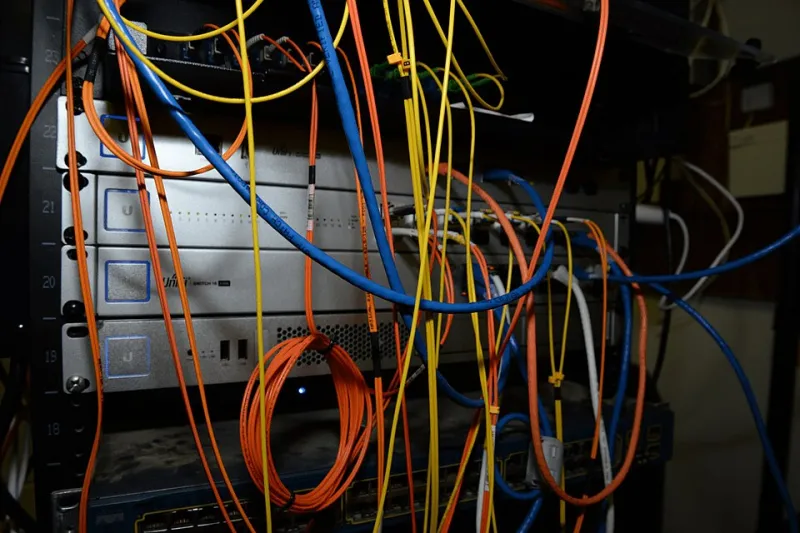
Photo by Photo by Lightsaber Collection on Unsplash on Unsplash
I once spent a genuinely stupid afternoon on a support ticket that boiled down to this: our gateway said an SMS landed at 14:02:11, the carrier said 13:59:04. The customer's developer latched onto those three minutes and built an entire theory of the case around them. Nobody was lying. Our box was just drifting, and nobody had looked at chronyc tracking in about a year.
That's the thing about time on a modem farm. It's free, it's invisible, and it's load-bearing. The moment there's money or a delivery SLA on the line, three minutes becomes a whole personality.
Why three minutes is enough to blow up a dispute
Carrier CDRs, SMS delivery receipts, and your own gateway logs are three independent recordings of the same event. When they agree within a second or two, troubleshooting is a joy — you can follow one message through the whole chain. When they don't, you're no longer debugging an SMS problem, you're debugging three clocks.
Most billing increments and retry windows are defined in seconds, not minutes. A submit-to-delivery window that looks like a timeout on your side might be a perfectly normal delivery on theirs if your timestamps are skewed forward. Multiply that confusion across a few thousand messages and you get a carrier asking pointed questions about your throughput accounting, or a customer asking why your dashboard says 99.1% when their own logs say 97.4%.
The sneaky part: drift is not constant. A server that's 40ms off in January can be 200ms off in June if the CPU is busier in the summer. And the classic failure mode isn't gradual drift at all — it's a step. A time daemon that finally syncs after a long gap will jump the clock, and every log line around that jump is now a small landmine.
Where the drift actually comes from
A few usual suspects on a GSM rig:
- Cheap or virtualized clocks. Motherboard RTCs are fine, but virtualized guests inherit steal time and TSC inconsistencies. If your gateway runs in a VM on a busy hypervisor, the guest clock is a suggestion, not a fact.
- Whatever the distro shipped as default. Many modern distros default to
systemd-timesyncd, which is fine for a laptop and barely adequate for anything with billing attached. It also tends to be quiet about problems, which is exactly what you don't want. - Network weirdness. NTP is UDP and it's easy to firewall by accident, especially if you've been tightening egress rules after the last security review.
- Long uptimes with no monitoring. The daemon keeps running, the clock keeps slowly walking, and nobody notices because nothing visibly breaks.
Put everything in UTC and leave it there
Before touching a single config file: pick one time zone for the machines and make it UTC. Not Eastern, not Pacific — UTC. Convert for humans at the presentation layer, in the dashboard, in the report, wherever. The database and the logs stay in UTC, and every stored timestamp is an epoch value or a UTC ISO-8601 string with an explicit offset.
This sounds pedantic until the first Sunday in November. DST is a US-specific gift that keeps giving: the spring-forward hour that doesn't exist, the fall-back hour that happens twice, cron jobs at 02:30 that either skip or run twice depending on how your scheduler handles it, and the state of Arizona quietly ignoring the whole thing. If your log pipeline uses local time, you get a 60-minute discontinuity twice a year that will eventually coincide with an incident, guaranteed.
Step one of the audit: measure before you fix
Don't tune anything yet. Get numbers first.
chronyc tracking
chronyc sources -v
tracking gives you the current offset, the residual frequency, and the reference you're locked to. sources -v tells you whether the daemon is actually talking to anything, or just confidently reporting a clock it invented. If chronyc isn't installed, that's your first finding.
Now log it. A one-line cron job that appends offset and skew to a CSV every five minutes costs you nothing and gives you a week of real data:
*/5 * * * * date -u +%FT%TZ >> /var/log/clock.csv; chronyc -c tracking >> /var/log/clock.csv
After seven days, plot it. You're looking for three things: a stable offset under a few milliseconds, no step changes, and a residual frequency that isn't walking steadily in one direction. If your offset curve is a straight diagonal line, the daemon is not disciplining anything.
Pick a reference you actually trust
For most US racks, a pool of four geographically close NTP servers is plenty: 0.us.pool.ntp.org through 3.us.pool.ntp.org, with iburst on. The pool is a volunteer service, so be a good citizen — don't poll every 16 seconds out of paranoia.
If you're running anything where a billing dispute is genuinely possible, consider two independent sources. A second reference from a different provider or a different stratum gives you a tiebreaker when one upstream goes strange. And if you're the sort of person who already has a GPS receiver on the roof for other reasons, gpsd plus chrony's refclock SHM 0 gives you a stratum-1 source with PPS discipline and no network dependency at all. It's overkill for most farms. It's cheap insurance for a farm that reconciles CDRs weekly.
Configuration notes that matter more than they look
A minimal chrony config that behaves:
pool 0.us.pool.ntp.org iburst maxsources 4
driftfile /var/lib/chrony/drift
makestep 0.5 3
rtcsync
logdir /var/log/chrony
makestep 0.5 3 lets chrony slew small errors but step the clock if it's off by more than half a second during the first three updates at startup. That's the pragmatic compromise: you want corrections applied, but you don't want an arbitrary mid-day jump while messages are in flight. If your gateway can't tolerate any step, run it with -x and accept a longer convergence window.
Turn logging on. logdir costs a few megabytes a day and it's the only way to answer the question 'did the clock move while this message was queued?' a month later.
Reconcile before you escalate
When a dispute lands, do the boring math first. Pull a few hundred messages that both you and the carrier have records for. Calculate the difference between their timestamp and yours for each one. Take the median. If the median is a consistent offset of, say, +178 seconds, you have a clock problem — not a delivery problem. If the differences scatter randomly across plus and minus several minutes, you have a different problem entirely, and time sync won't save you.
Keep that reconciliation worksheet. When the account manager asks why your logs and the carrier's logs disagree, a single sentence — 'our clock was 178 seconds fast, here's the chrony log showing the step, here's the corrected reconciliation' — closes the ticket. No sentence at all closes nothing.
Write down the policy
One page. Who owns time sync, what the reference is, how the offset is monitored, what the escalation threshold is, and where the logs live. Review it when you change hosting, change hypervisors, or change the gateway stack — those are exactly the moments when a quiet time daemon stops being either quiet or a daemon.
Three minutes off isn't a catastrophe. It's just a bill you haven't been handed yet.